Help Center / A Trader's Day
A Trader's Day
The Workspace follows the natural rhythm of a trading day: prepare before the open, execute and record while the market is live, review after the close. At every step there are things only you can do, and things the Workspace assembles for you from what you recorded. This page walks the full loop so you know exactly where your responsibilities are, and where the system pays you back.
Phase 1: Before the open
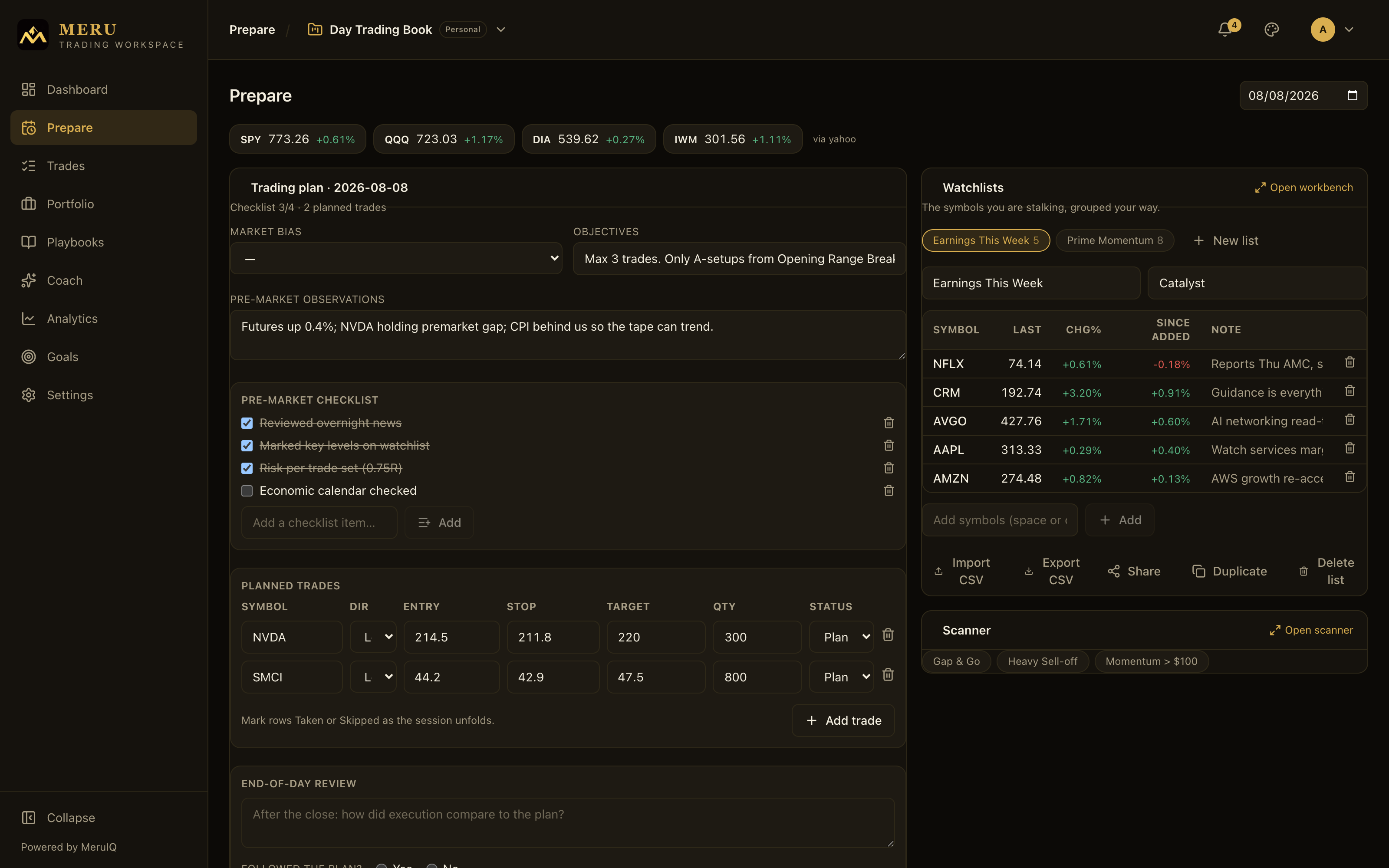
The morning is where discipline is cheapest. Ten minutes on the Prepare page before the bell means you spend the session executing decisions instead of making them.
Your responsibilities
- Write today's Trading plan: market bias, objectives, and pre-market observations.
- Work through your Pre-market checklist and tick every item you verified.
- Enter Planned trades: symbol, direction, entry, stop, target, size.
- Sweep your Watchlists and the Workbench, update notes and targets.
- Run your scanners and check the Economic calendar for the day's prints.
What the Workspace assembles for you
- Live quotes, day moves and sparklines on every watchlist symbol.
- Workbench decision columns: distance to your targets, RVOL, trend context, hypothetical position values.
- Scanner matches from criteria you composed once.
- The week's scheduled economic releases and headlines for your symbols.
- Yesterday's plan one click away with Copy previous day.
Phase 2: While the market is live
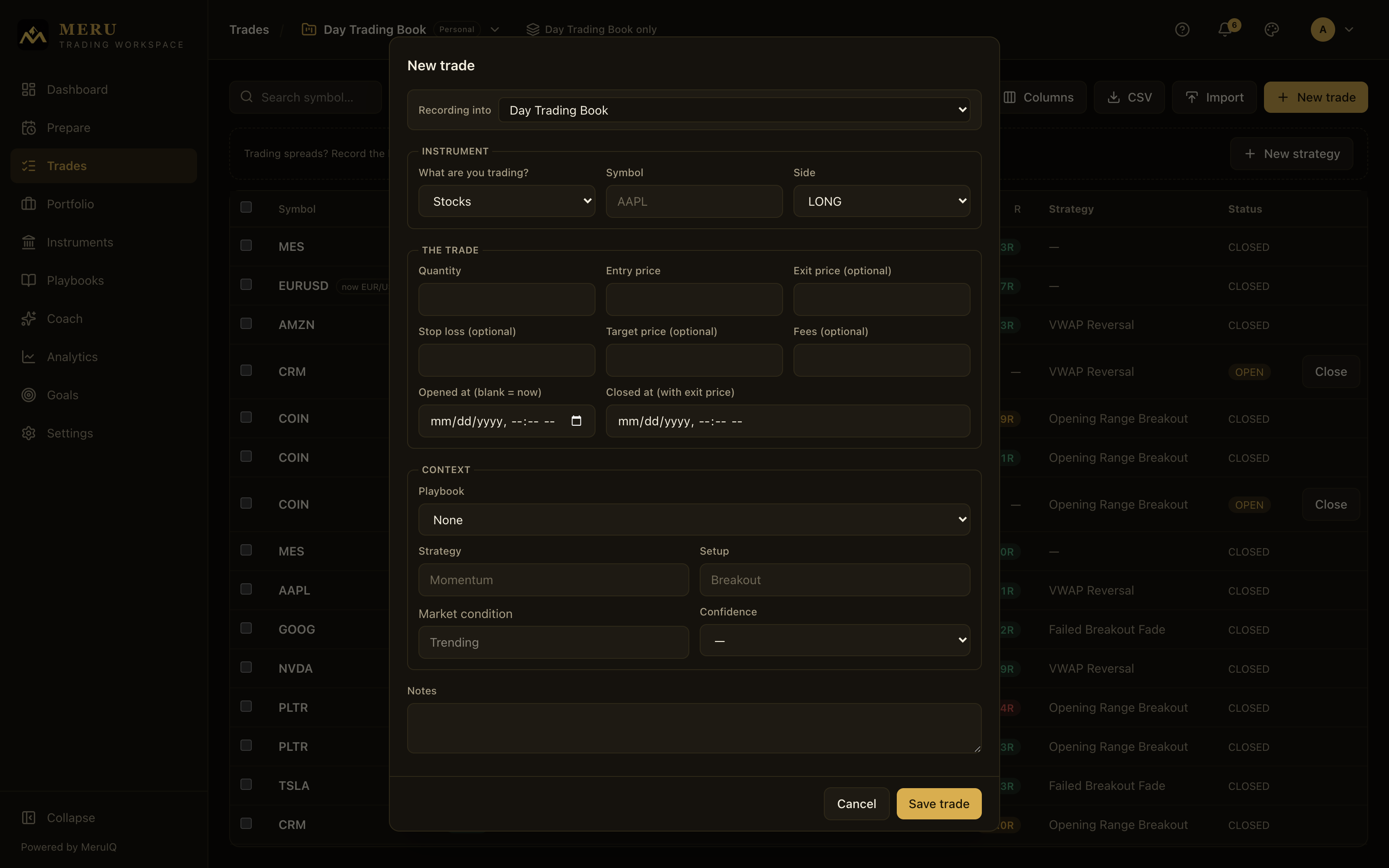
During the session your job is simple to state and hard to do: execute the plan, and record what actually happened while it's still true. Everything else on this page exists to make that recording fast.
Your responsibilities
- Log each fill with New trade: asset class, symbol, side, size, stop. Seconds, not minutes.
- Mark planned trades Taken or Skipped as the session unfolds.
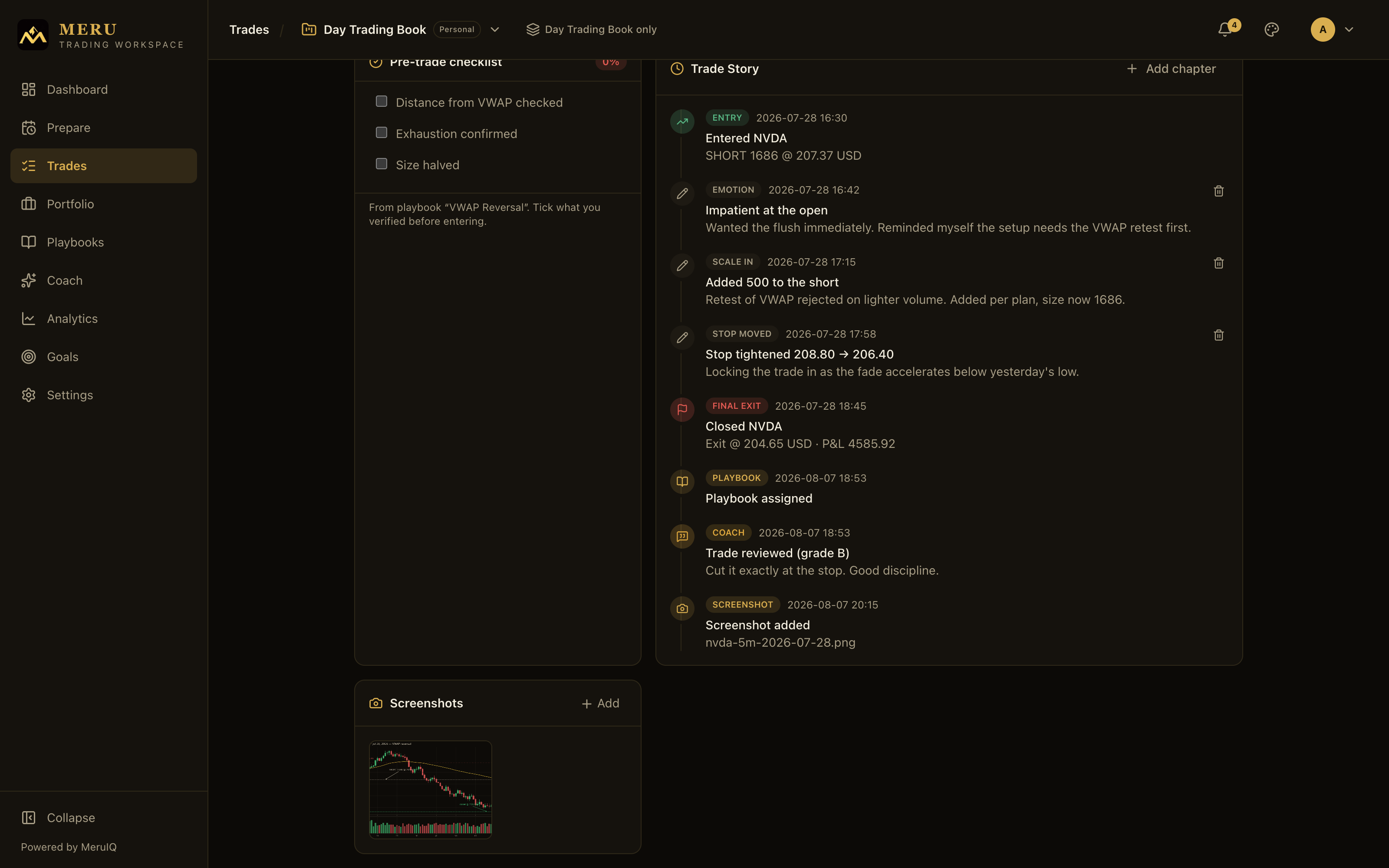
- Capture the moment in the Trade Story: emotions, stop moves, scale-ins, chart screenshots.
- Respect your playbook guardrails: max risk, max trades per day, no-trade conditions.
- Close trades with their exit price when you're out.
What the Workspace assembles for you
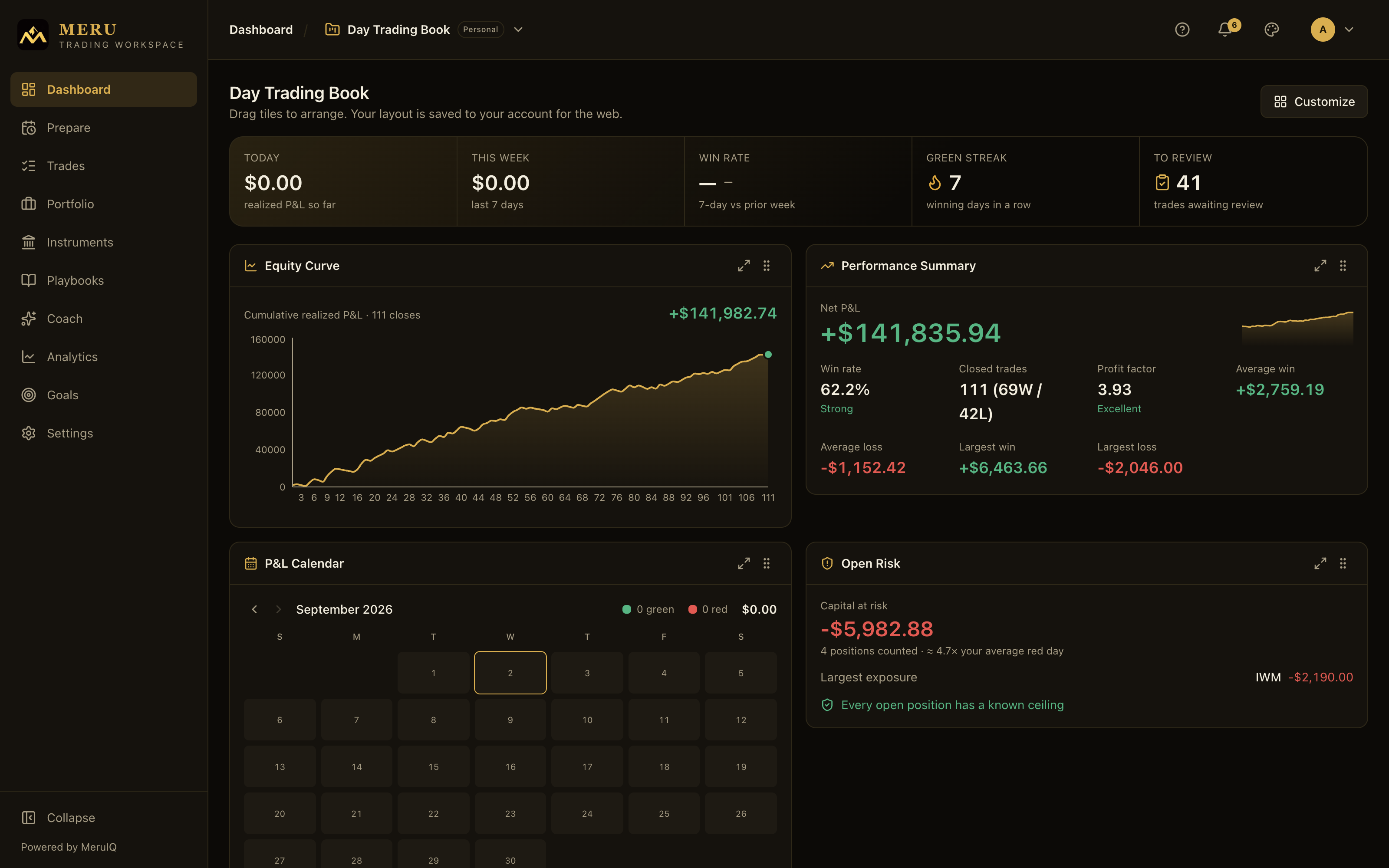
- The Dashboard pulse: today's P&L, win rate, and your green streak.
- Open Risk: what your open positions can lose, and any position whose loss has no ceiling.
- Live marks and exposure across every workbook on the Portfolio page.
- Target alerts from your watchlist levels, notified once per level.
- R multiples and planned-versus-actual risk computed on every trade as you log it.
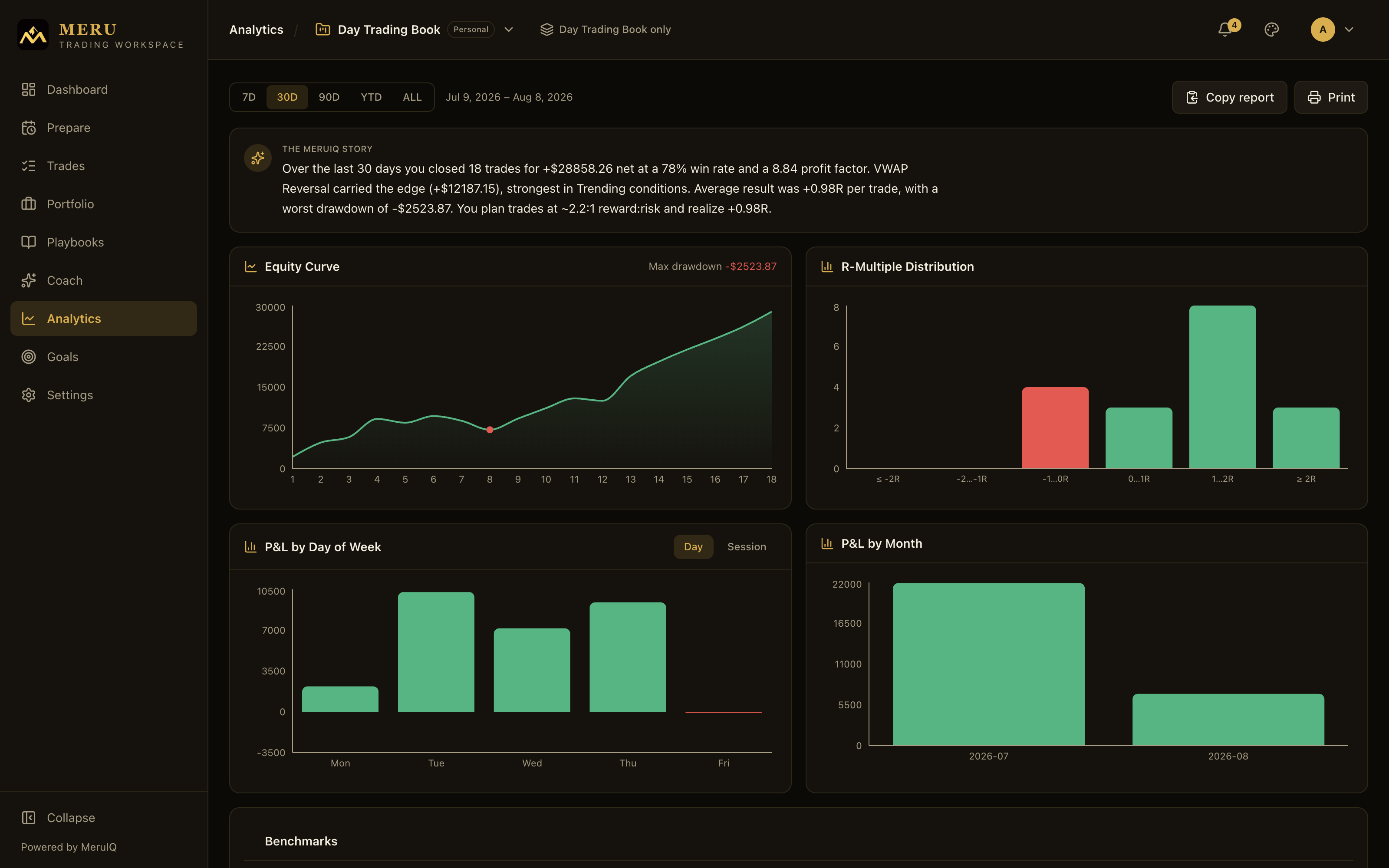
Phase 3: After the close
The review is where the edge compounds. A trade that's closed but never reviewed teaches you nothing. The dashboard's To Review counter keeps the backlog honest.
Your responsibilities
- Review each closed trade: a Grade, the Emotion you traded with, and whether you Followed the plan.
- Finish the plan's End-of-day review: how did execution compare, and did you follow the plan?
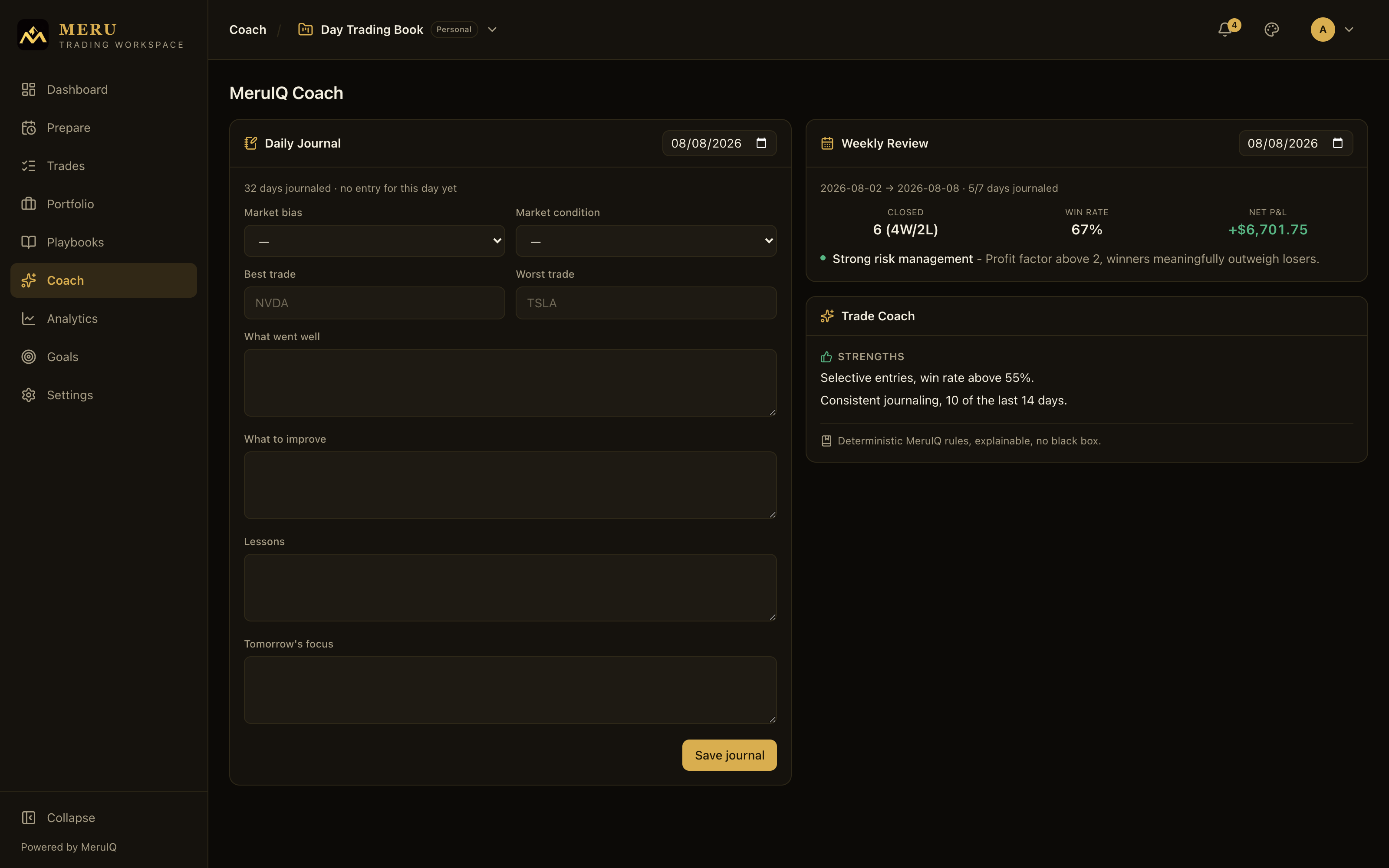
- Write the Daily Journal: what went well, what to improve, lessons, tomorrow's focus.
- Glance at Goals: are profit, trade count, win rate and drawdown on pace?
What the Workspace assembles for you
- The P&L Calendar paints the day green or red; the equity curve extends.
- Every review updates your playbook grades and adherence numbers.
- Analytics re-tells the story: win rate, profit factor, expectancy, drawdown, sliced any way you like.
- The Weekly Review aggregates your week; MeruIQ insights surface patterns you would miss.
- Goal progress bars move against your real ledger, not your memory.
The loop: why the routine pays
Each phase feeds the next. The plan you wrote in the morning becomes the standard your evening review grades against. The reviews you write become the statistics that grade your playbooks. The statistics become tomorrow's sharper plan. Miss a phase and the loop leaks: trades without reviews dilute your analytics, days without plans have nothing to grade execution against.
- Prepare writes the standard: plan, checklist, planned trades.
- Trade & record captures reality: fills, emotions, stops, screenshots.
- Review & learn compares the two and stores the lesson: grades, journal, goals.
- The Workspace turns the stored lessons into playbook grades, analytics, and coach insights that shape the next morning's plan.